About this asset
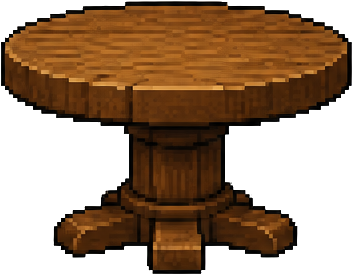
Create a production-ready prop sheet for a stylized 2D game. Objective Generate a single 4:3 image that is optimized for this pipeline: - create the sheet - remove the background - slice the sheet into individual assets - use content-aware trimming inside each slice - export separate game-ready assets The image must therefore be designed for easy extraction, clean slicing, and strong readability. Step 1 - Art style Render every asset in exactly this art style: - crisp retro pixel art with a limited palette and clean dithering - consistent front view presentation for every asset - consistent perspective and lighting across all 12 assets - clean readable silhouettes, bright but controlled colours Step 2 - Use the correct canvas and layout Use a 4:3 aspect ratio (1536x1152 pixels). Create exactly 12 assets in a strict 4x3 grid layout (4 columns, 3 rows). Grid rules: - 4 columns and 3 rows - 1 asset per grid cell - every asset centered within its own cell - all assets clearly separated - equal visual spacing between cells - no overlapping between assets - no asset may cross into another cell - no asset may touch the outer image edge Step 3 - Fill the space properly Each asset must fill most of its cell so the sheet feels space-efficient and useful. Scale rules: - each asset should occupy about 70% to 85% of its cell - avoid tiny assets floating in large empty areas - avoid oversized margins - keep a small safety margin around each asset so it does not get cropped - make the sheet feel dense, efficient, and well-filled while still keeping every asset separate Step 4 - Create assets that are easy to extract The final image will be sliced automatically, so every asset must be clearly isolatable. Extraction rules: - strong silhouette clarity - keep each asset visually self-contained - avoid shared shadows between neighboring assets - avoid background scenery - avoid large ground planes connecting multiple assets - avoid decorative environment elements that merge items together - avoid floating particles, fog, smoke, or effects that spill into other cells - if tiny base details like grass tufts are used, keep them tightly grouped to the asset only Step 5 - Background requirements Use a plain removable background suitable for automatic background removal. Background rules: - prefer transparent background - if transparent background is not possible, use a flat solid chroma background - background must be uniform and easy to remove - no texture, no gradient, no environment scene, no floor plane, no decorative backdrop, no framing elements Step 6 - Content requirements Generate 12 visually distinct props from this category: dungeon furniture The 12 props are: 1. wooden treasure chest 2. iron anvil 3. barrel of apples 4. bookshelf 5. wooden chair 6. round table 7. wall torch 8. stone coffin 9. treasure pile 10. wooden crate 11. potion shelf 12. dungeon door CRITICAL - Exact placement: draw the props in the EXACT order listed above, reading left-to-right then top-to-bottom, one per grid cell: - Row 1 (top): wooden treasure chest | iron anvil | barrel of apples | bookshelf - Row 2: wooden chair | round table | wall torch | stone coffin - Row 3 (bottom): treasure pile | wooden crate | potion shelf | dungeon door The first prop goes in the top-left cell, the second in the cell to its right, continuing across each row. Do not rearrange, swap, repeat, or omit any prop. Each cell must contain ONLY its one listed prop and nothing else. Make each prop distinct, readable, and useful as an individual game asset. Step 7 - Quality requirements The output must be clean and production-friendly. Quality rules: - no cropped assets - no blurry rendering - no muddy details - no photorealism - no text, no labels, no UI, no watermark - no extra decorative objects outside the 12 requested assets - consistent art style across all 12 assets - consistent lighting direction - consistent rendering quality - visually balanced composition - readable at small game size Step 8 - Final output intent The final image should look like a professional prop sheet intentionally designed for: - background removal - fixed-grid slicing (4 columns x 3 rows) - content-aware trimming - export into separate game assets It must not look like a poster, scene illustration, or concept art board. It must look like a production-ready 4x3 prop asset sheet. Important emphasis Do not generate only a single small object floating in the center of the canvas. Instead, generate a full 4x3 sheet that uses the available 4:3 canvas efficiently. Each asset should be large, well-centered, clearly separated, and easy to isolate after slicing. Avoid: no antialiasing blur; no soft gradients or airbrushing; no photographic textures; no text, letters, numbers or watermarks; no signature or border frame; no assets crossing cell boundaries; no shared ground planes; no scenery or backdrop elements; no characters, no people, no figures, no creatures — inanimate objects only.